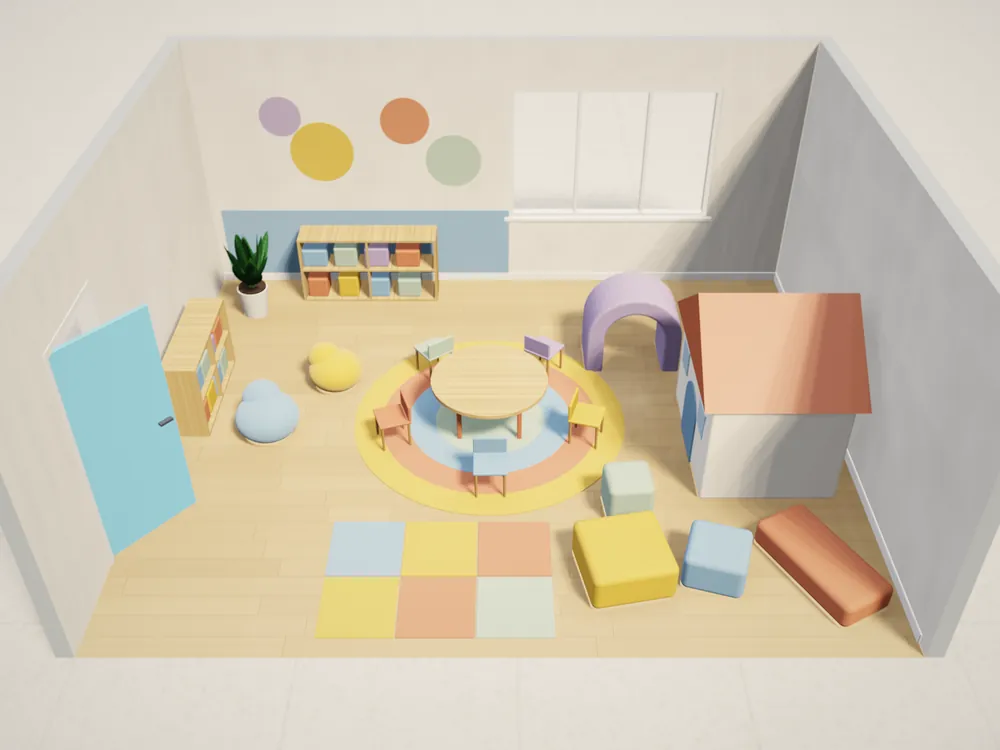
Kids' furniture and play equipment
Your client's space: Kindergartens, schools, play areas, waiting rooms
What your rep shows: The play zone at real size, clearances you can check, the quote
3D sales app for furniture and equipment makers
In-home sales software that works at the client's site: your rep measures the clinic, classroom or office, places your products at real size in 3D and leaves a priced quote with your logo — no drafting team, fewer second visits, no redrawing in CAD.
4.6App Store · 300K+ ratings
On your phone too
Point the phone camera here to install, then scan your rooms
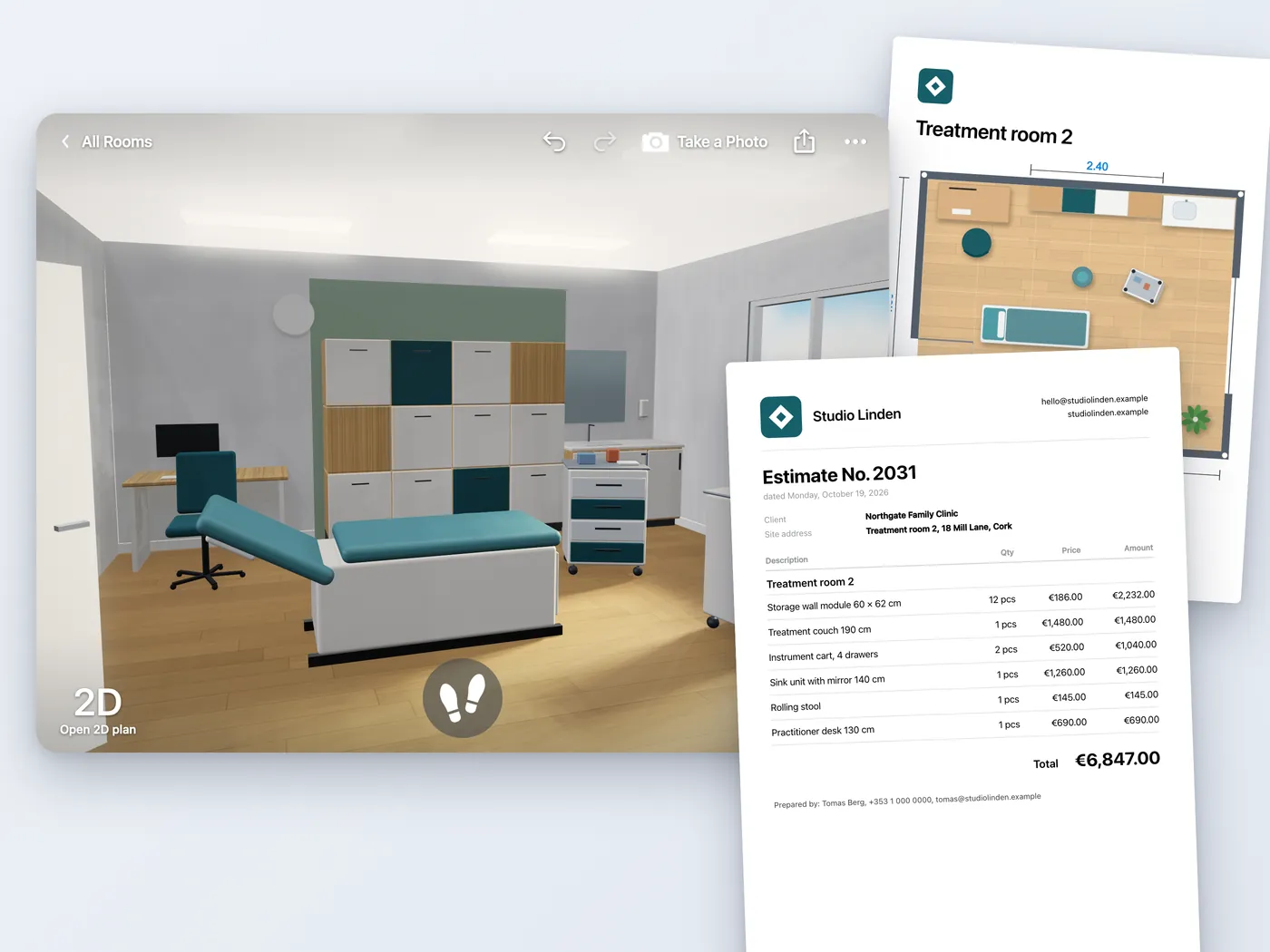
Because the client cannot picture a custom unit in their own space, and the price comes days later. While your office redraws the room and prices the layout, the client looks at a cheaper standard product.
Home Planner puts the measured space, your products, the price and the spec into one project your rep builds on site.
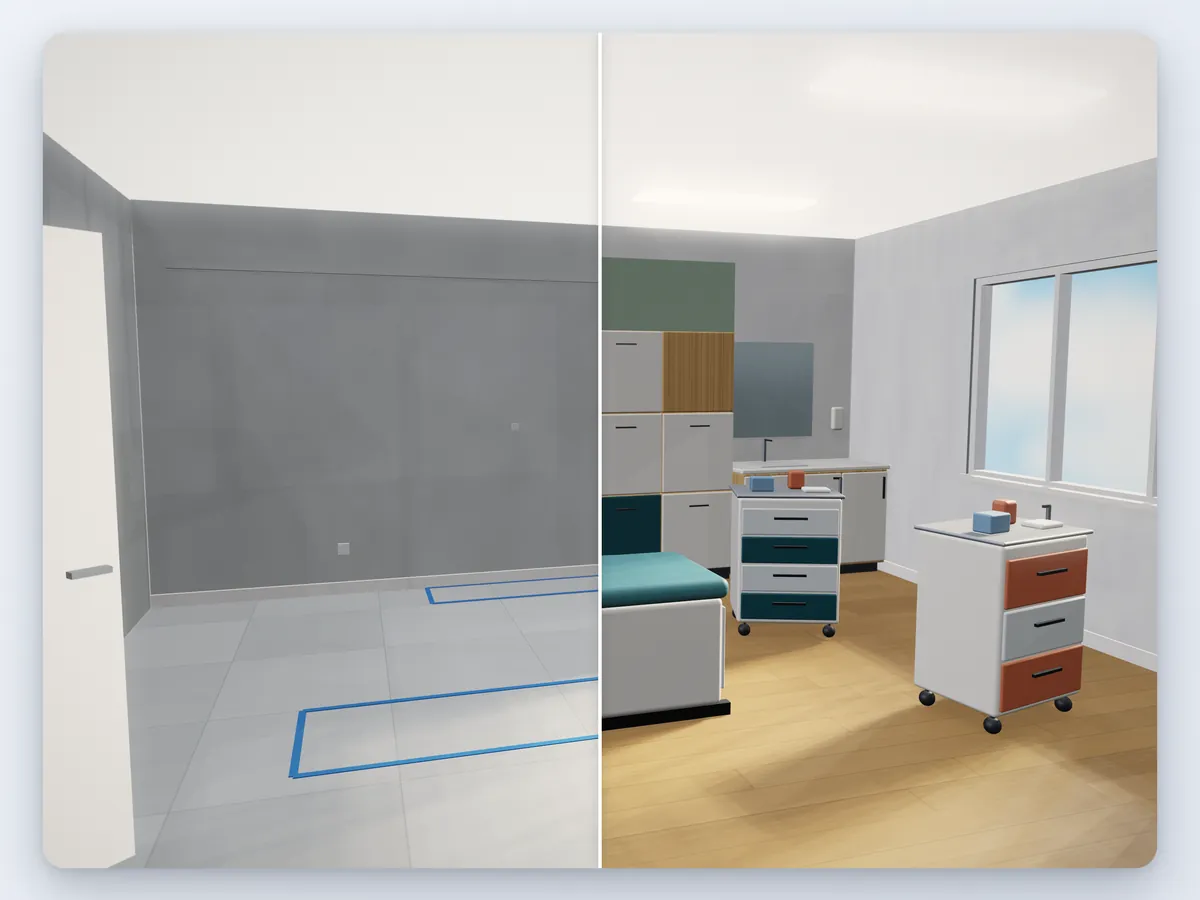
Companies that sell furniture and equipment made or configured for a specific commercial space, and need to show it there before the client signs.
Your client's space: Kindergartens, schools, play areas, waiting rooms
What your rep shows: The play zone at real size, clearances you can check, the quote
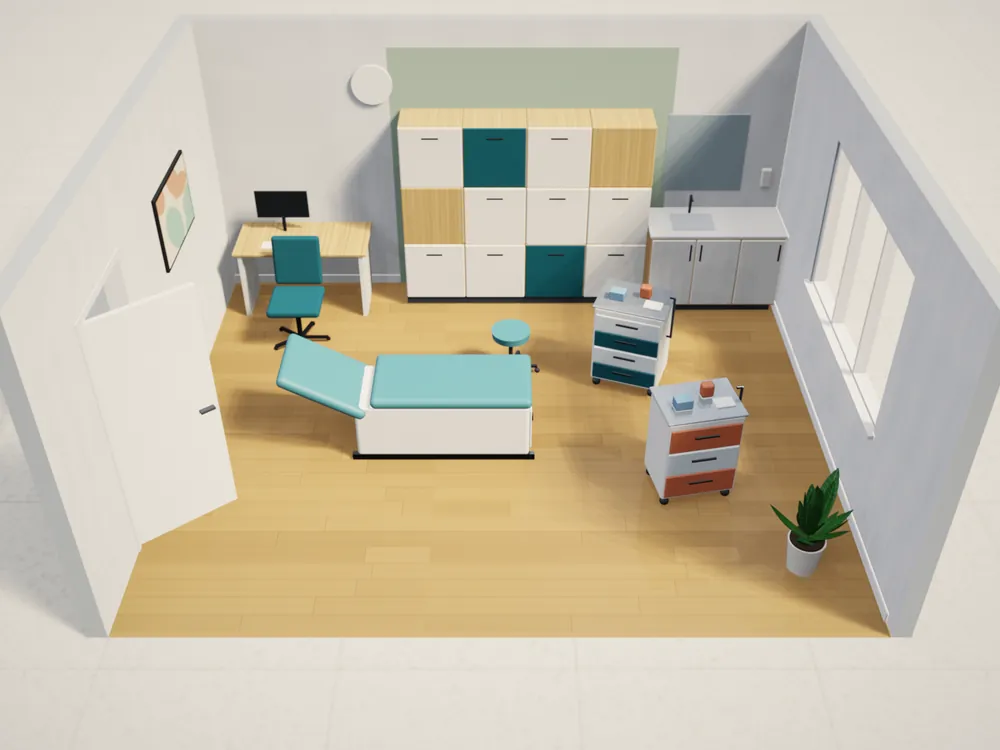
Your client's space: Clinics, treatment rooms, labs, pharmacies
What your rep shows: Storage walls and carts fitted to the room, quantities, the quote
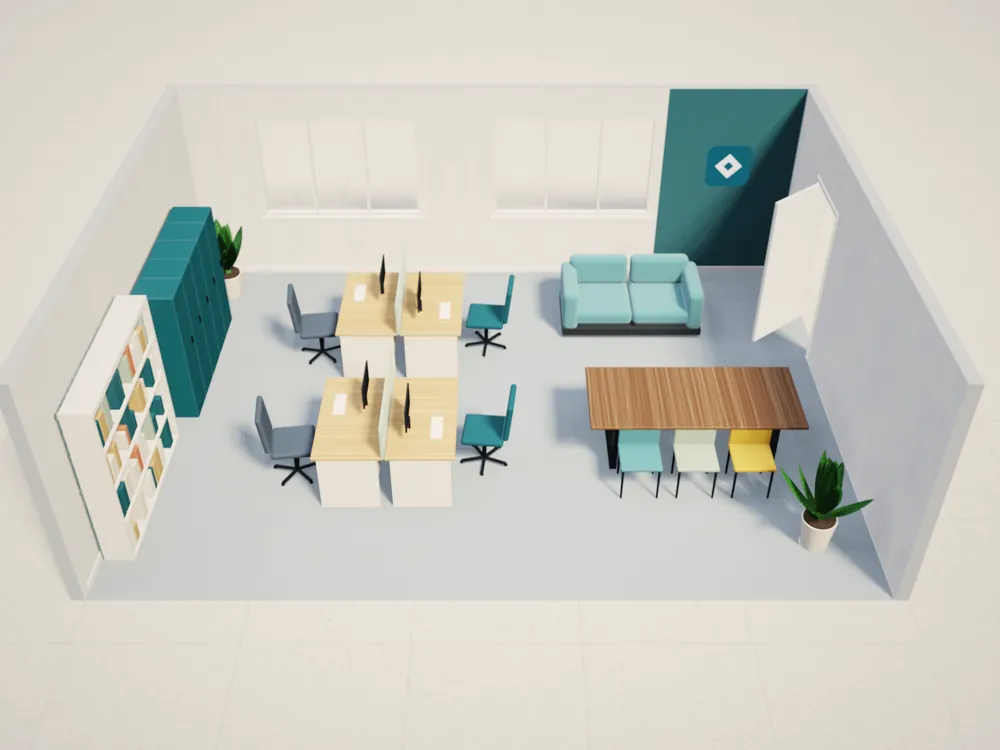
Your client's space: Offices, shops, showrooms
What your rep shows: Workstations or fixtures in the real floor plan
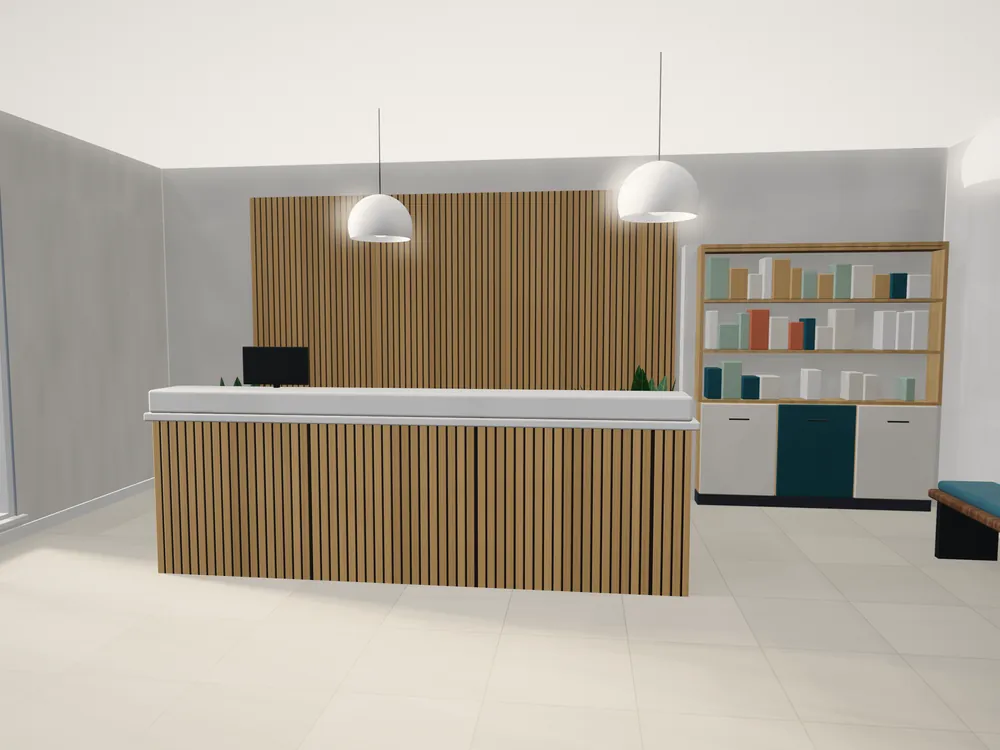
Your client's space: Hotels, cafés, reception areas
What your rep shows: Built-in units at the exact wall length
A quote they can approve: their own space with your products in 3D, the price, and a document their manager can sign off.
| Output | What the client gets | Plan |
|---|---|---|
| Renders and 360° | Their room with your products, up to 4K, and a 360° view |
|
| Quote PDF | Your logo, prices and totals |
|
| Plan to scale | Every wall dimensioned, product positions, wall elevations |
|
| Shared link | A render or a 360° view of the project opens in any browser, no app needed |
|
Commercial clients sign when they see the products in their own space, get a price on the spot and trust that what arrives fits. Here is how each step works in Home Planner.
| What gets the order | What your team does in Home Planner | Plan |
|---|---|---|
| The product in the client's real space | Measure with a laser meter or LiDAR scan, or import their floor plan |
|
| The product fits the space and the spec is right | Modular products configured in 3D with fit rules: only pieces that fit the wall and each other are offered, and the price and item list follow |
|
| Only your products, your brand | A company catalog of your products; with White Label the app opens with your logo and only your catalog |
|
| A price and a quote on the spot | Prices from your price list; a quote PDF with your logo and your company line in the footer |
|
| A correct spec for production | The order with every item, a PDF and a CSV; DWG with furniture blocks |
|
| No lost leads | Each project goes to your CRM, or the order goes straight to your system |
|
| Every rep and dealer sells the same way | Seats, roles and one shared catalog managed in the company panel |
|
Each row links to its section below.
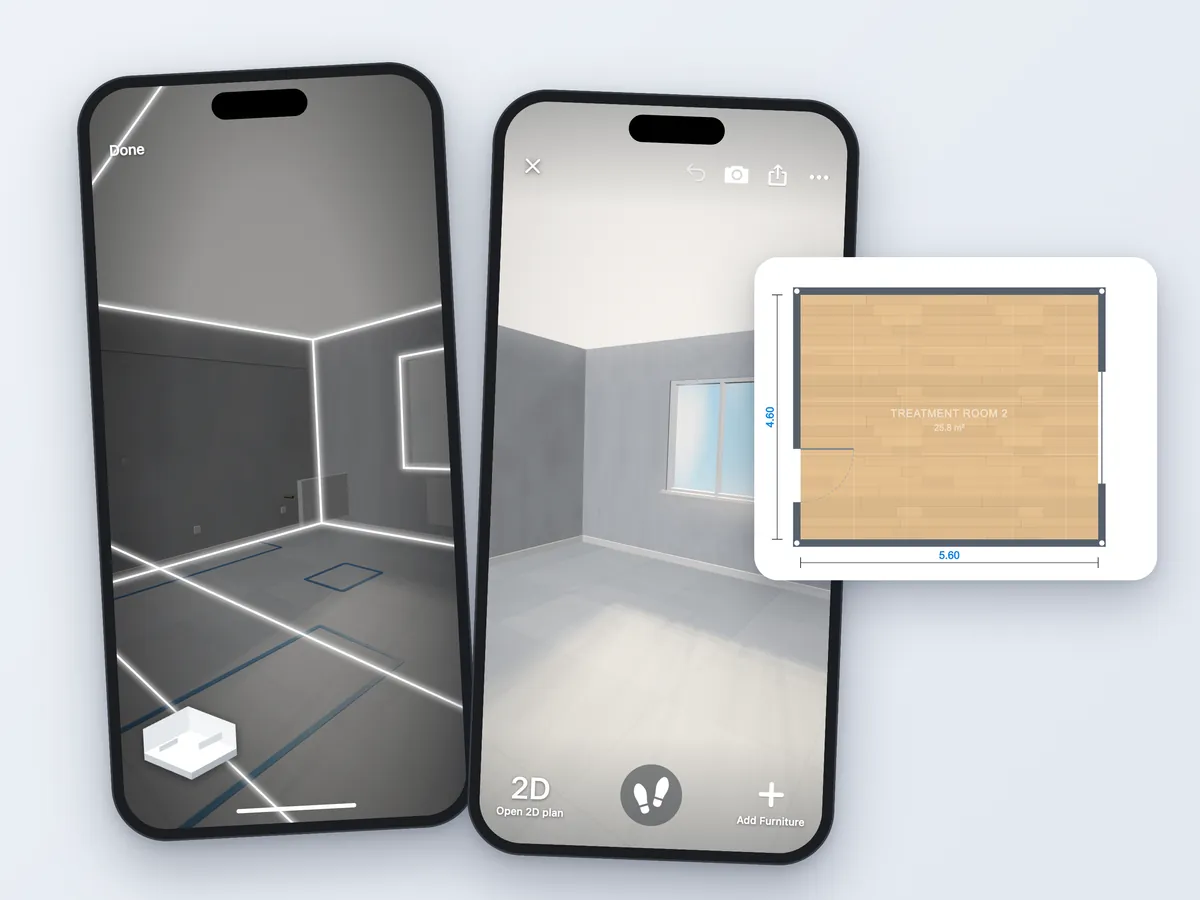
Yes. Your rep measures the room with a laser distance meter or a LiDAR scan, or imports the client's floor plan, and gets a plan to scale in minutes. Then they place your products at their real size.
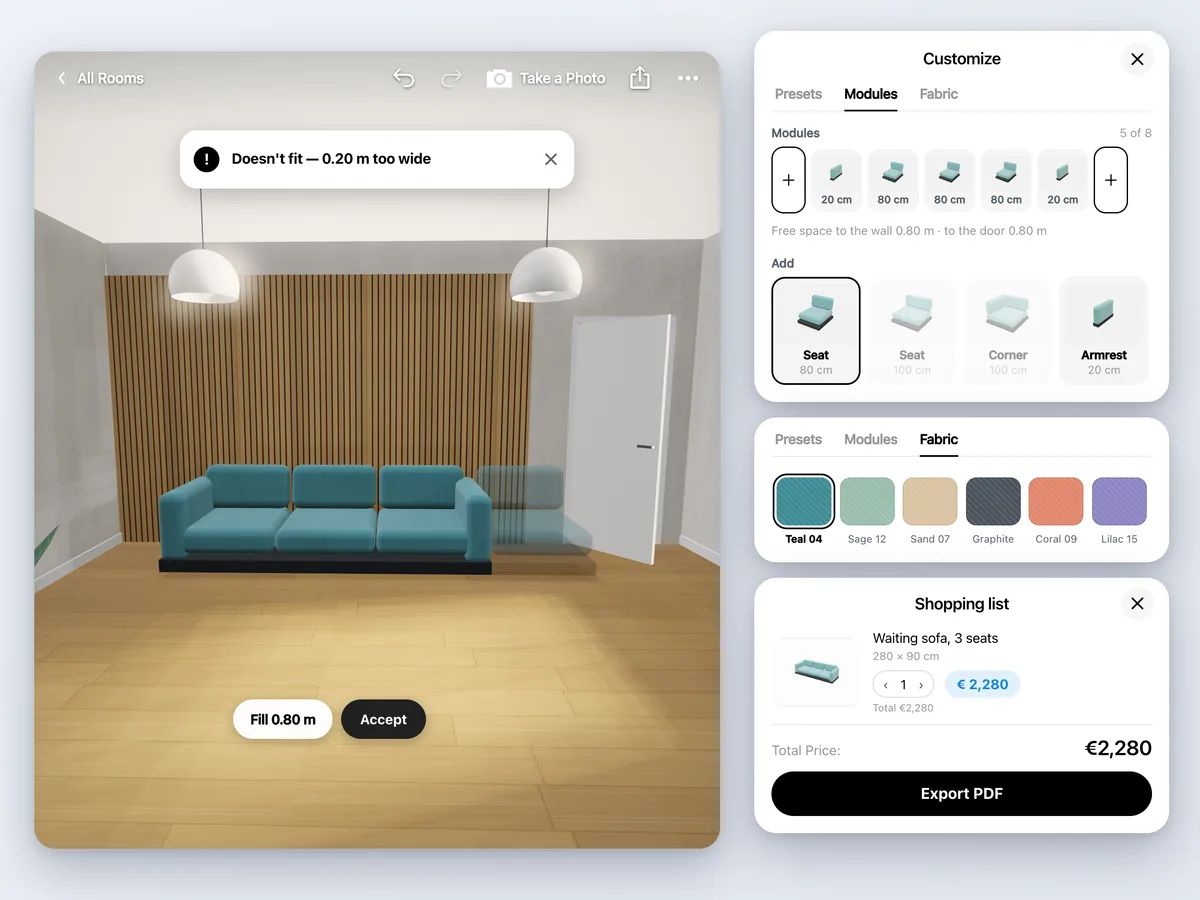
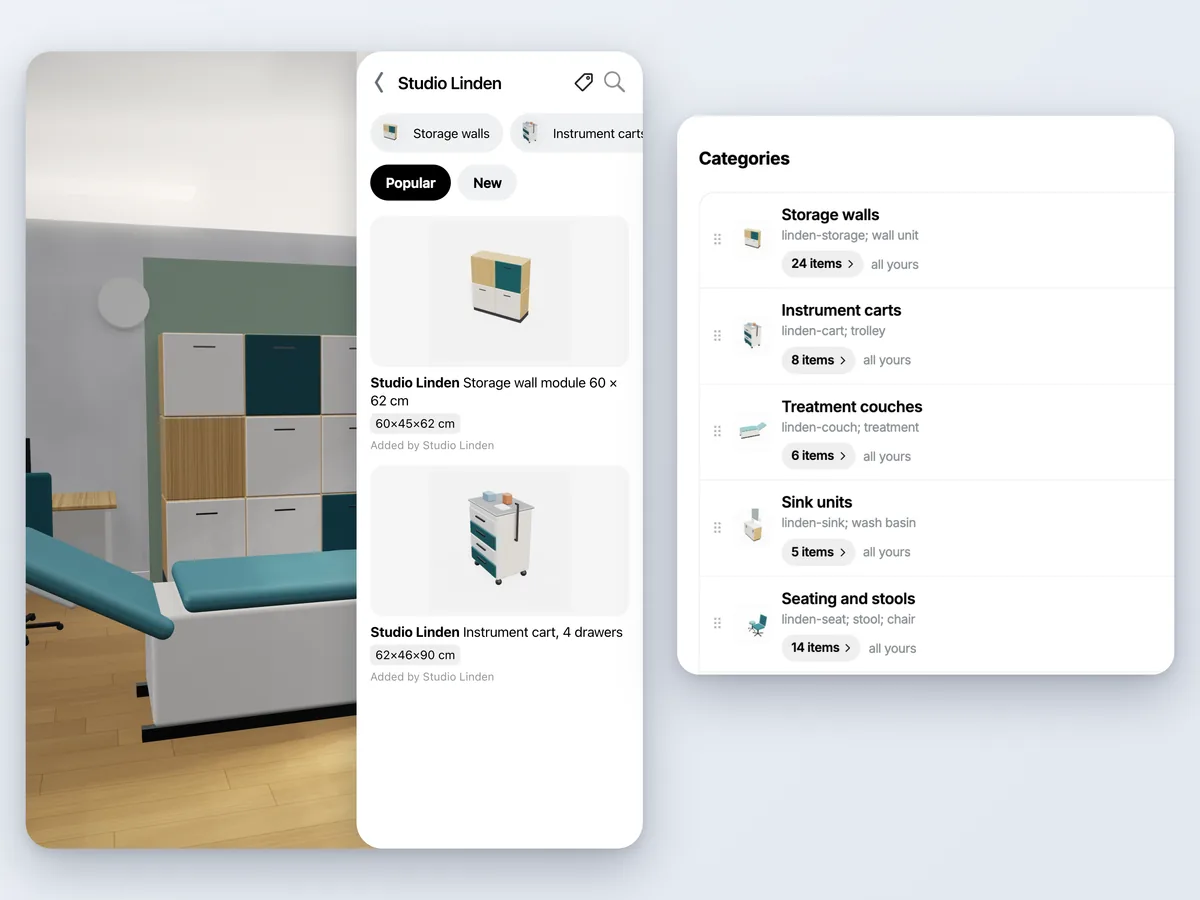
Yes. Modular products, cabinets and sofas today, are configured in 3D on the spot: the rep picks modules and finishes, and the app offers only pieces that fit.
Yes. Your products go into one company catalog that every rep uses. With White Label, the app opens with your logo and shows only your catalog — your reps never offer a competitor's product by accident.
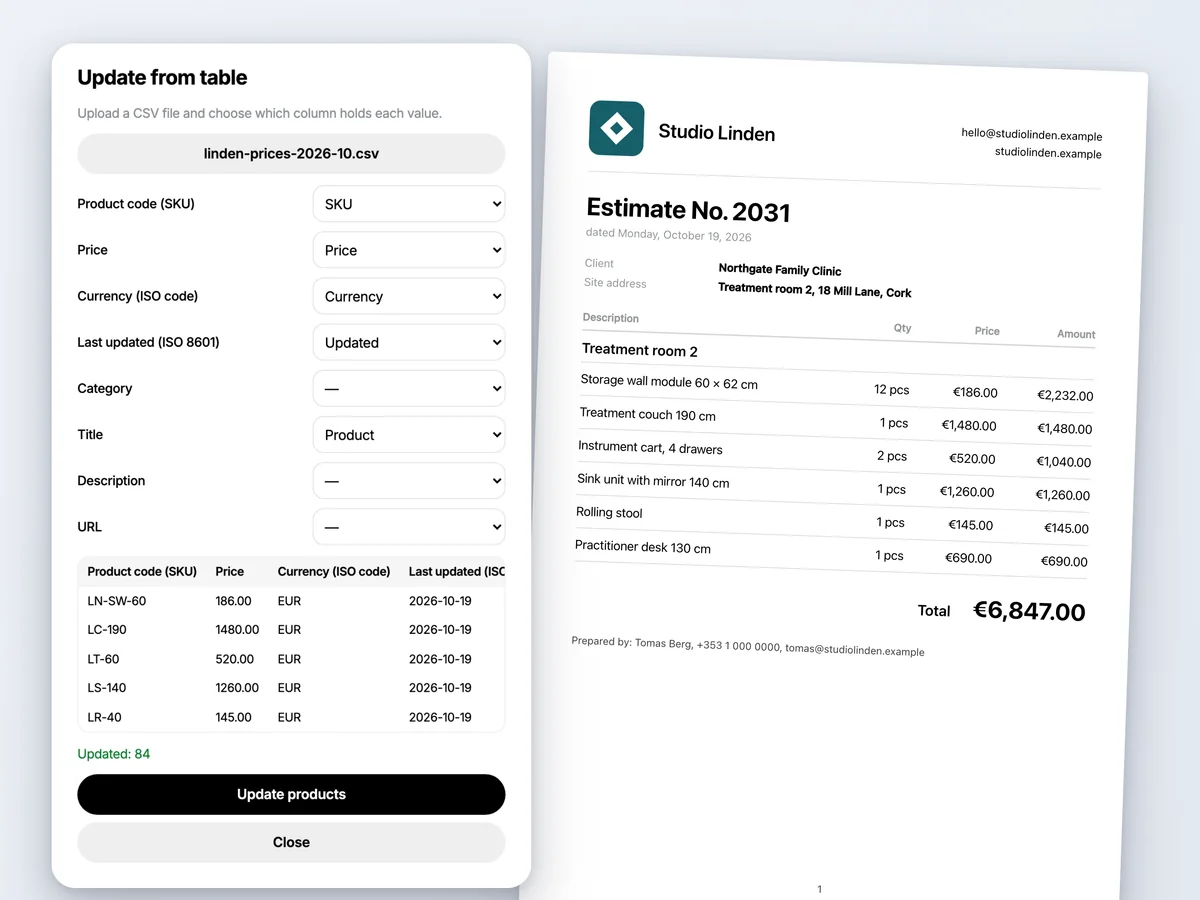
Yes. Upload your price list as a CSV and every product in a design carries your current price. The rep sends a quote PDF before leaving the site.
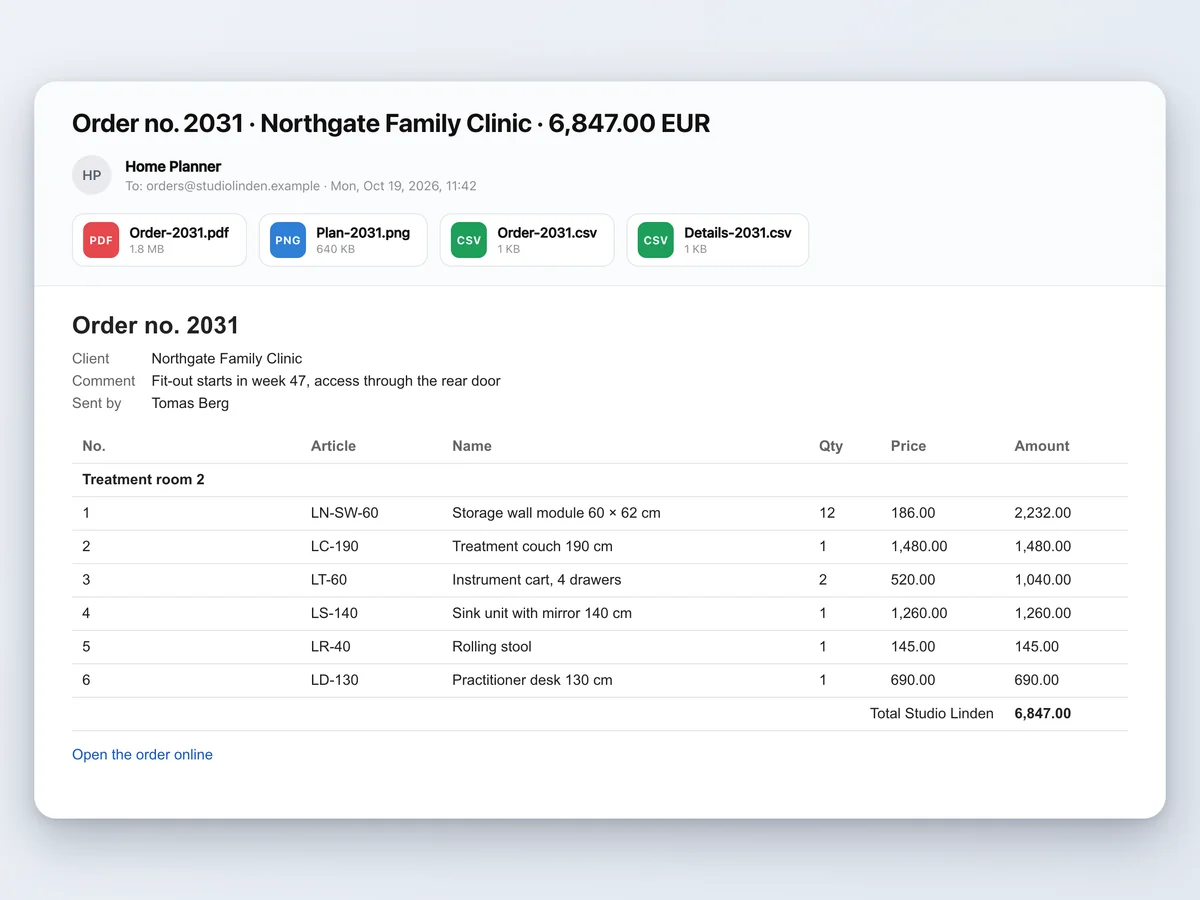
A complete order instead of a sketch: every item, its quantity and position, as a PDF and a CSV, sent where your team works.
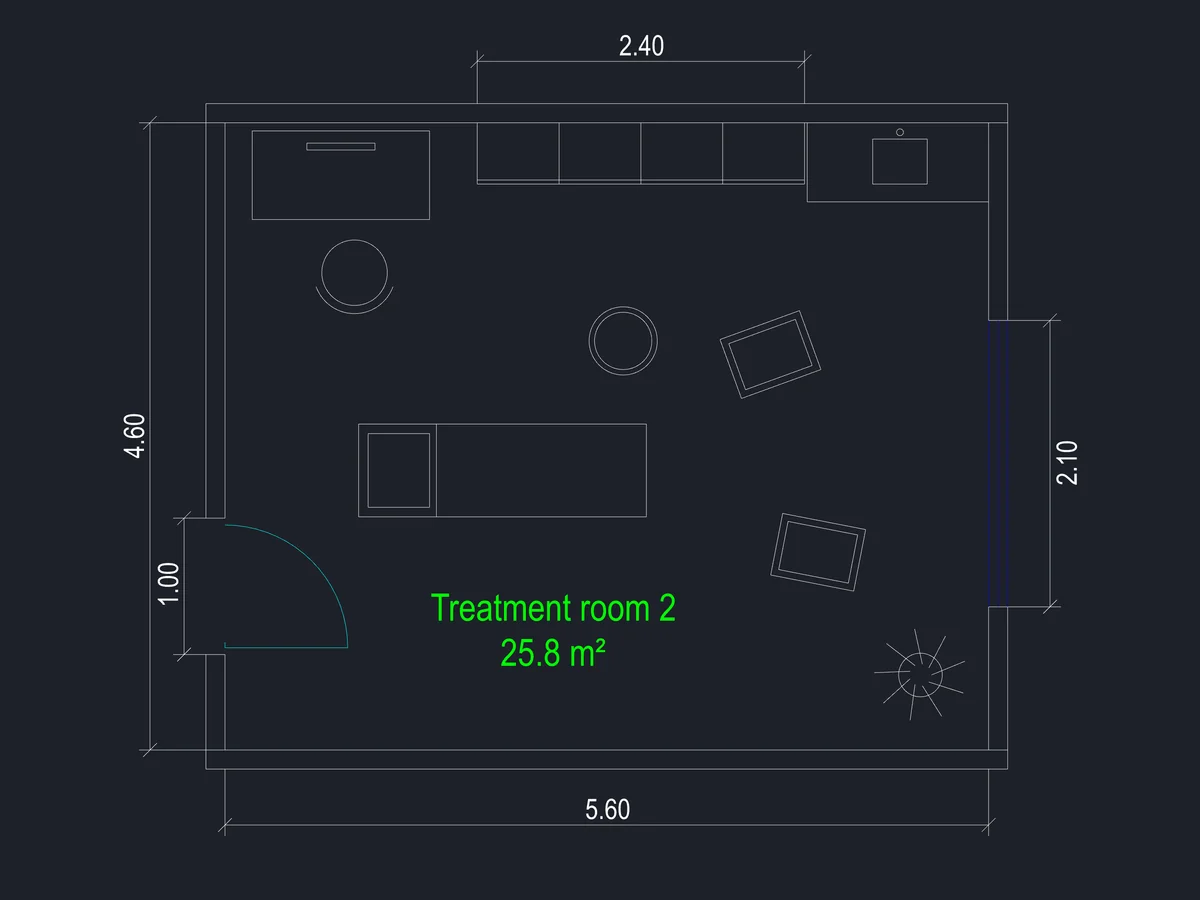
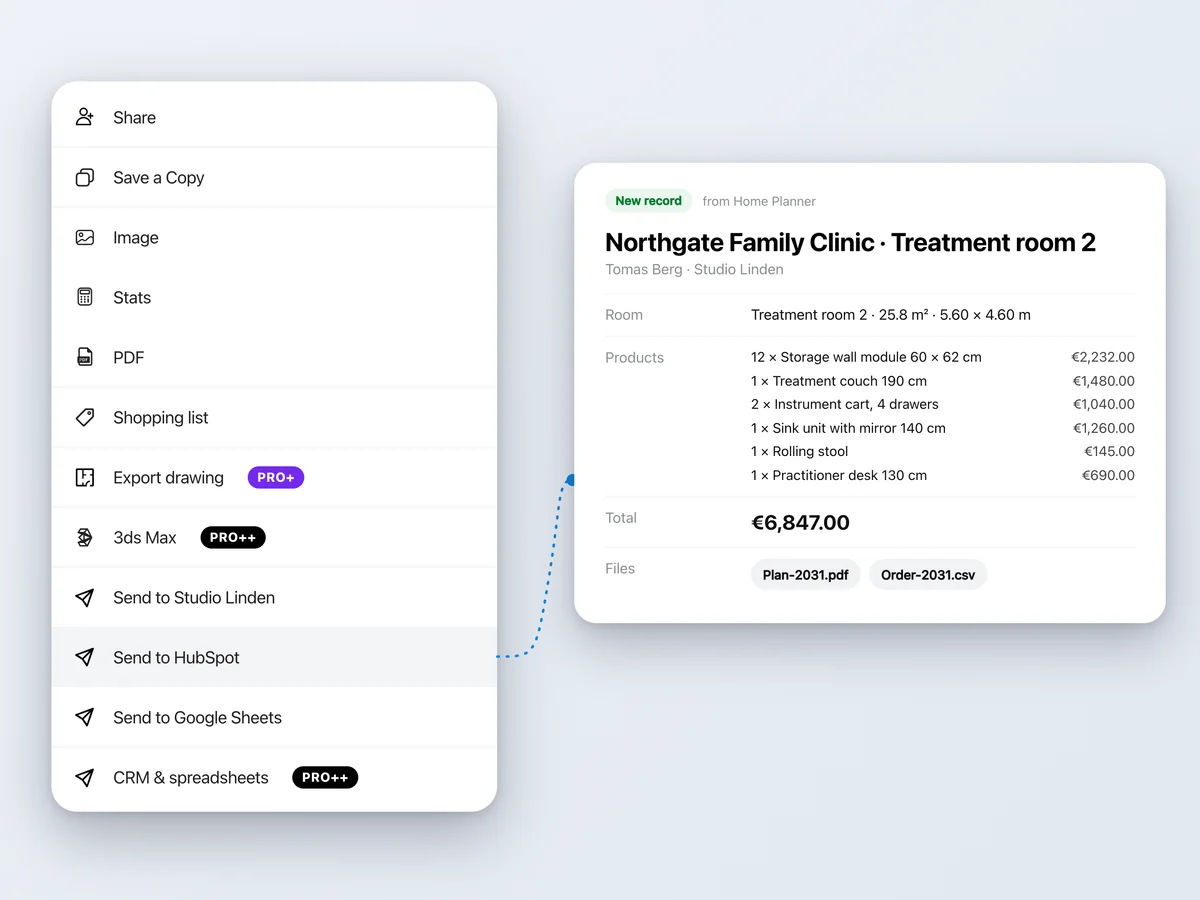
Yes. The rep sends the project to your CRM from the Share menu: products, quantities, prices, room figures and the plan PDF arrive as one record.
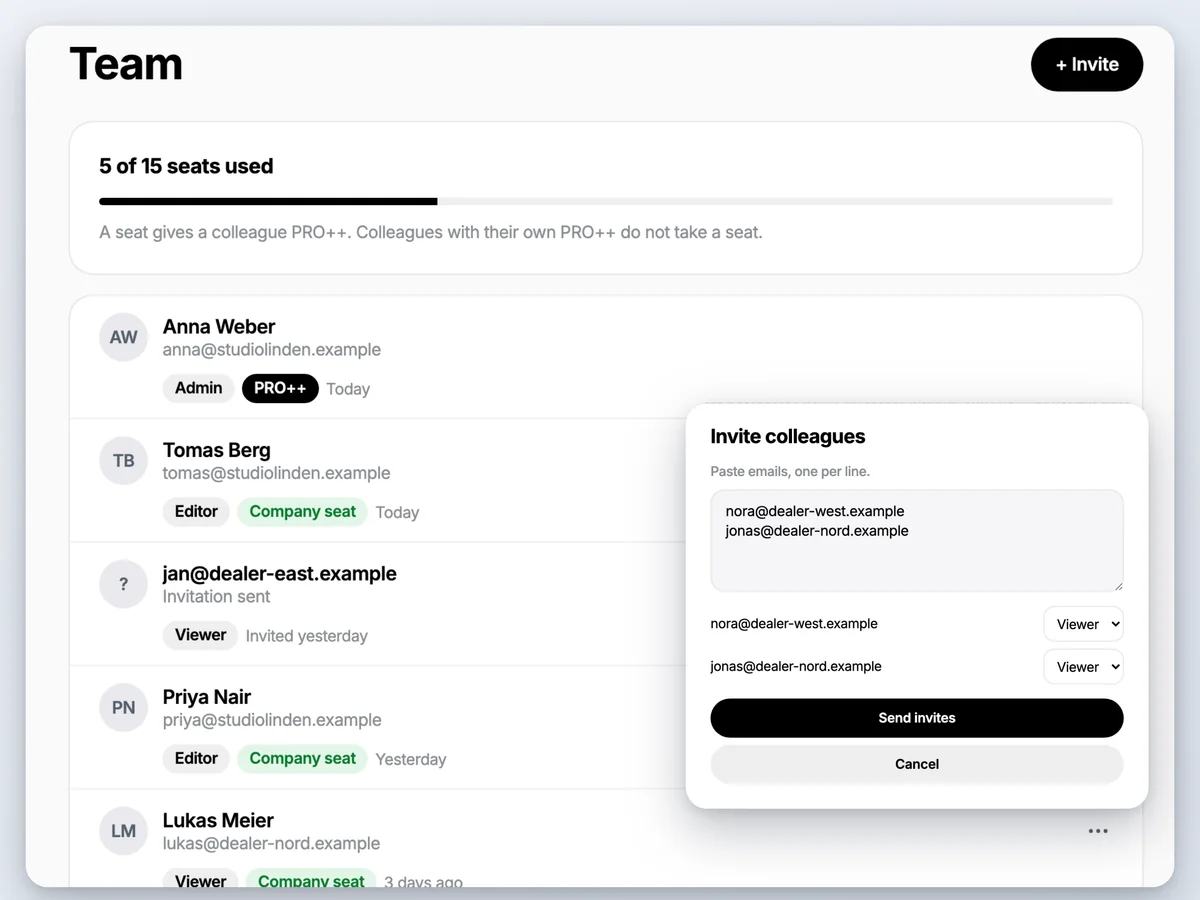
From the company panel: invite colleagues, give each a seat and a role, and they all work with the same catalog, prices and branding.
Start with PRO++ for one rep. Move to White Label when a team of up to 15 should sell with your logo and only your products.
$41.99 /month
Save 65%$499.99 billed annually, plus sales tax where applicable
One PRO++ per sales rep · a team of up to 15 → White Label
Renews yearly · cancel anytime
€829 /30 days
Sign in to the app with this email — your plan is there.
Already a customer? Open your company panel
Not in the EU, EEA, Switzerland or the US? Buy PRO++ in the App Store or Google Play.
PRO++ is $41.99 a month per rep, billed yearly ($499.99), or $119.99 month to month. White Label is €829 per 30 days for a team of up to 15.
Yes. For in-home sales your rep plans the client's space during the visit; for commercial clients the same app handles a clinic, a classroom or an office. Either way the quote is ready before the rep leaves.
Yes. Start with PRO++ for one rep and set up one product line.
Your reps show only your catalog through your company profile. Products you publish also appear in the planner for other users.
No. The quote PDF and the 3D link open in any web browser.
An iPhone, iPad, Android phone or tablet, Mac or Windows computer. The LiDAR scan needs an iPhone Pro or iPad Pro; the laser meter works on iPhone, iPad and Android.
Yes. PRO++ bought on our website: cancel any time; contact support and we'll help with a refund. Bought in the App Store or Google Play: the store's refund policy applies. White Label: cancel any time; it stays active until the end of the paid 30 days.
Your company. If a rep leaves and you remove their seat, the catalog and the projects stay with the company.
Use "Help" in setup or write to [email protected] — no sales call needed.
Give your reps one app to measure the client's space, place your products, price the layout and send the order to production. Start with PRO++ for one rep and move to White Label when the team is ready.
Home Planner is not affiliated with, endorsed or sponsored by Apple, Google, Microsoft, HubSpot, Pipedrive, Bitrix24, Salesforce, Zapier, Make, Autodesk, Bosch or Leica Geosystems; their names and marks belong to their owners. Android is a trademark of Google LLC. iPhone, iPad and Mac are trademarks of Apple Inc., registered in the U.S. and other countries. Other trademarks are the property of their respective owners.