

Home Planner

Floor plan app for contractors

Measure once. Send the quote the same day.

Measure the rooms on site, get every area and wall on the plan, and leave the client a priced estimate PDF and a 3D view of the finished job — from one Home Planner project.

4.6App Store · 300K+ ratings

On your phone too

Point the phone camera here to install, then scan your rooms

Free: draw the plan, see the estimate and send your first estimate PDF · laser meter and scan editing on PRO, DWG on PRO+

Where does the time go between the site visit and a signed job?

Into re-measuring, redrawing and building the quote by hand. Each day between the visit and the quote is a day the client can sign with someone else.

  • Notes on paper, then an evening at the desk turning them into a drawing.
  • Areas and quantities counted by hand — and a missed wall costs you the margin.
  • The quote arrives days later, and the client compares it with two others.
  • The client cannot picture the result, so the "yes" waits for a second visit.

Home Planner turns the site visit itself into the plan, the quantities and the quote.

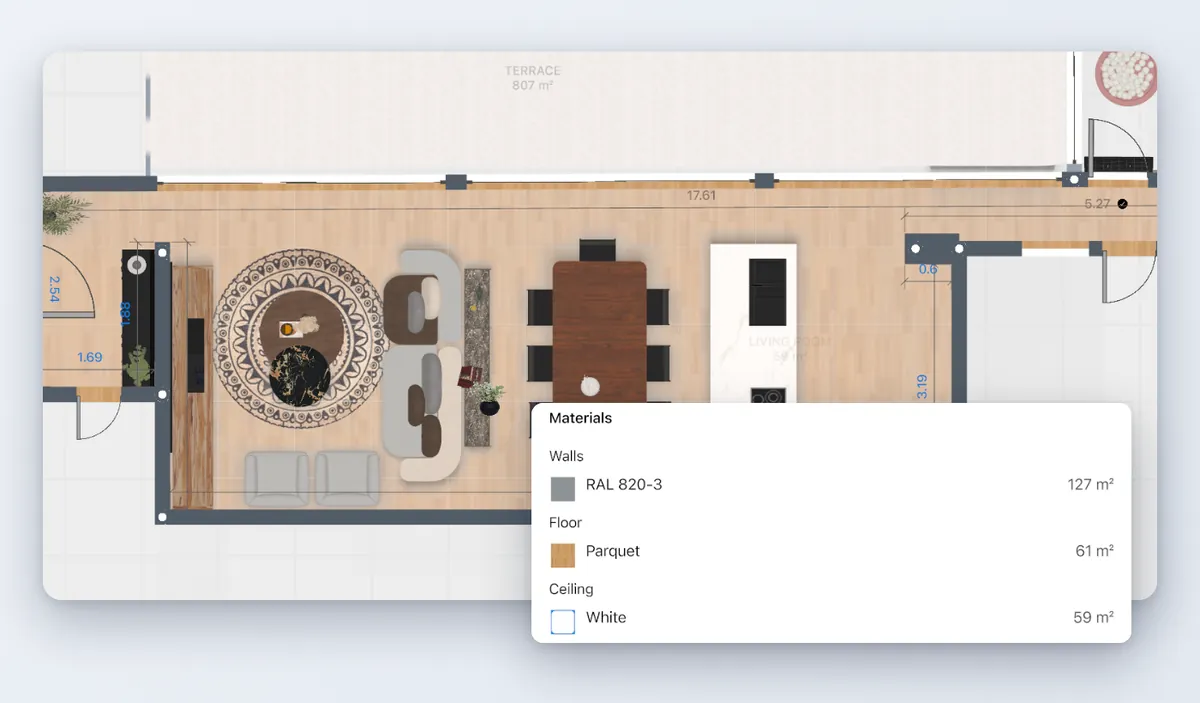
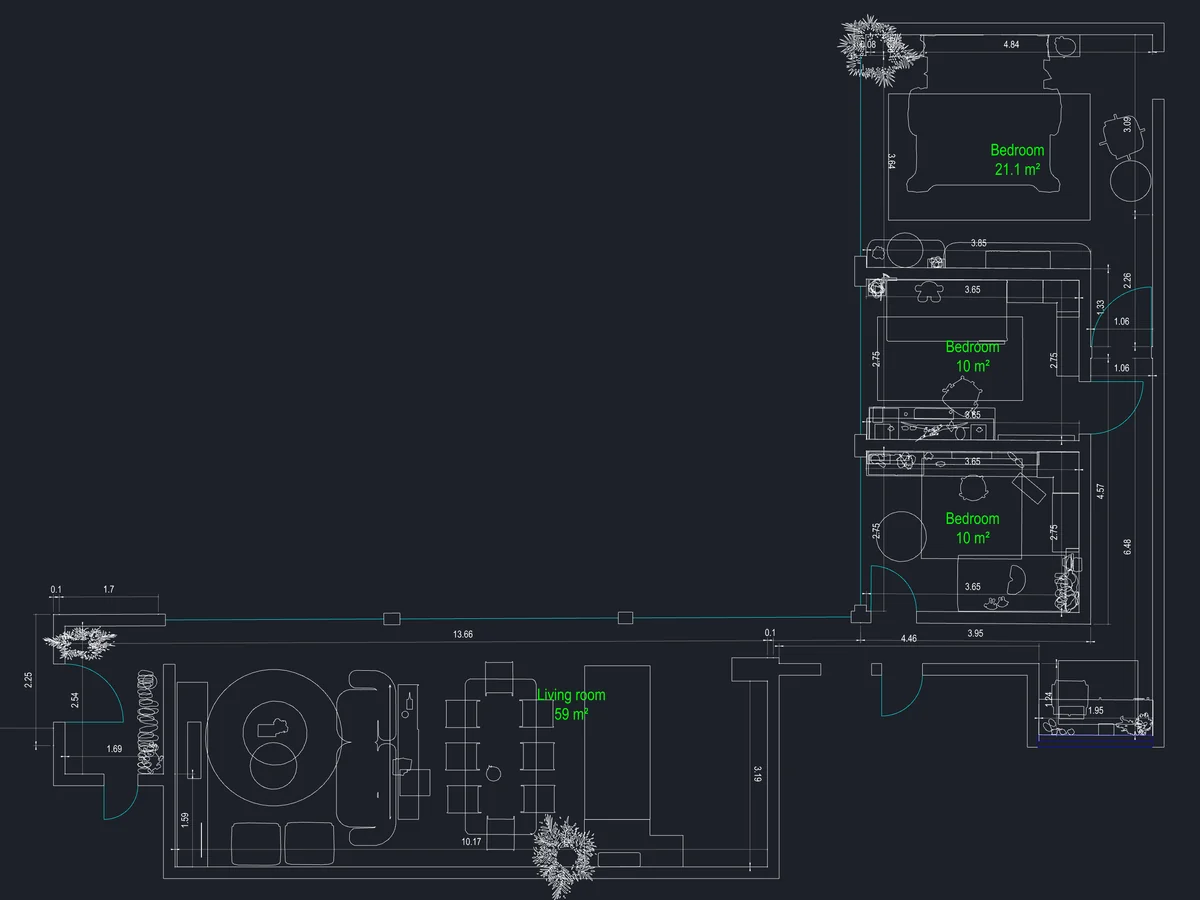
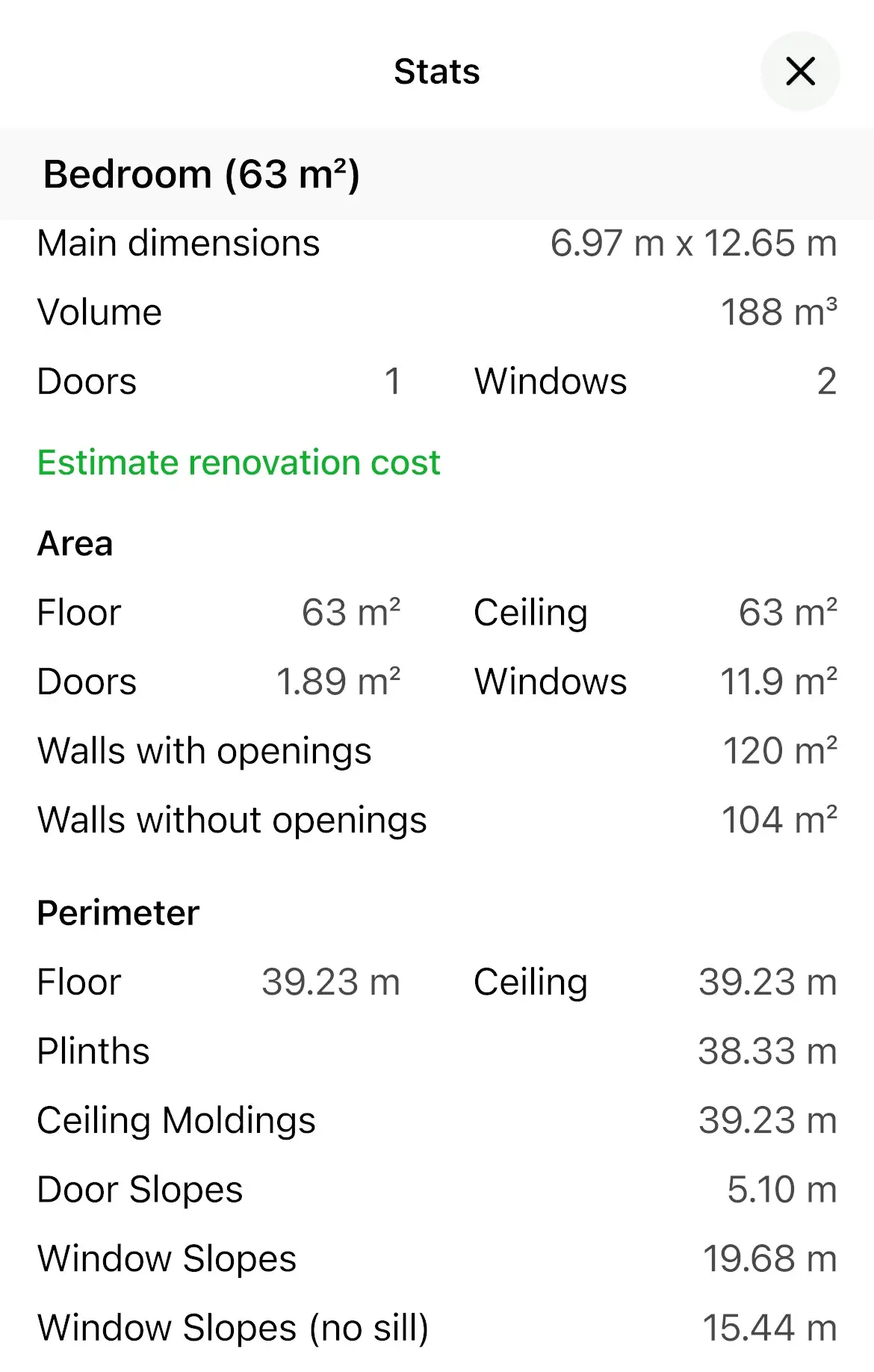
The room plan with its dimensions and the Stats window with the materials and their areas

What does your client receive?

A priced estimate with your logo, a plan to scale and a 3D view of the finished room — the same day, from the same project.

  • Estimate PDF page: numbered, with your logo, work items and markup
  • Architectural floor plan: wall lengths, door and window widths and positions, in metres
  • Room dimensions and areas
  • The finished kitchen as a render
OutputWhat the client getsPlan
Estimate PDFNumbered, with your logo, the client and the site address, work items at your rates and your markup
  • First one free
  • PRO+
Plan to scaleEvery wall dimensioned, areas per room, wall elevations
  • Free · PDF export on PRO
3D and rendersThe finished room in 3D, renders up to 4K, 360°
  • PRO+ for 4K and 360°
Shared linkA render or a 360° view of the project opens in any browser, no app needed
  • Free
Drawing for the tradesDWG/DXF or vector PDF
  • PRO+

What wins a renovation job — and how does Home Planner help?

Clients pick the contractor who measured carefully, quoted fast and showed them clearly what they are paying for. Home Planner covers each of these steps, from the site visit to the handover.

What wins the jobWhat you do in Home PlannerPlan
Accurate measurementsLaser meter or LiDAR scan straight into the plan; AI turns an old plan into walls
  • PRO
A fast quoteAreas and quantities per room; work items at your rates; estimate PDF before you leave
  • PRO+ · first estimate free
The client understands the scope3D and renders of the finished room; a link they open in any browser
  • Free · 4K on PRO+
Fewer change orders and disputesNumbered estimate with your logo, client and site address; numbered site notes with photos, marked "Fixed"
  • PRO+
A clean handover to the tradesDWG/DXF and vector PDF that open in AutoCAD and ArchiCAD
  • PRO+
You look like a serious firmYour logo on every estimate; no Home Planner watermark
  • PRO+
Leads do not get lostEach project sent to your CRM
  • PRO++

Each row links to its section below.

Can I measure a room without a tape and a notepad?

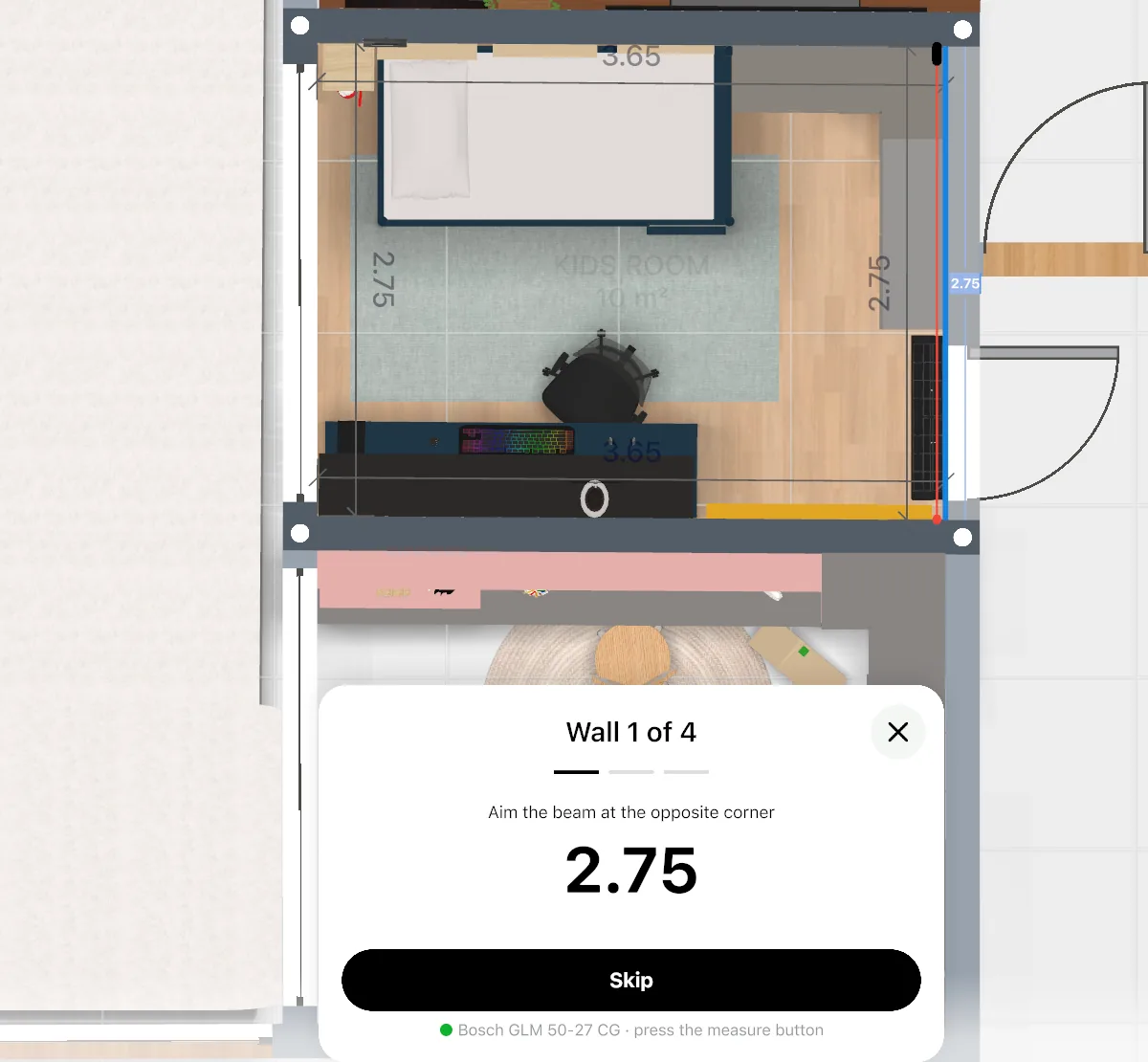
Yes. Measure with a laser distance meter or scan the room with a phone, and each figure goes straight into the plan. No retyping, no lost notes.

  • Laser meter: selected Bosch and Leica models, on iPhone, iPad and Android.
  • LiDAR scan: walk the room with an iPhone Pro or iPad Pro and get the walls, doors and windows.
  • Old plan from the client? Upload the image; AI turns it into walls and rooms. Check the key sizes with the laser.
  • Or draw the plan by hand — free.
  • PRO
A laser meter filling a wall length in the plan, figure by figure

Can I get areas and quantities without counting by hand?

Yes. Home Planner calculates floor area, wall area and perimeter for every room as you draw, and keeps them up to date when you move a wall.

  • Floor area and perimeter per room — for flooring, skirting and screed.
  • Wall area per room — for paint, plaster, tile and drywall.
  • Doors and windows are on the plan, so you see what to subtract.
  • All figures appear in the estimate and the PDF.
  • Free
Room statistics: dimensions and areas

Can I price the job before I leave the site?

Yes. Add your work items at your own rates, set your markup, and send a numbered estimate PDF with your logo while you are still with the client.

  • Work items and materials at your own rates.
  • Your markup on top.
  • Numbered estimate PDF with your logo and contact details.
  • The client and the site address on the first page.
  • Your first estimate PDF is free; from the second, PRO+.
  • PRO+ · first estimate free
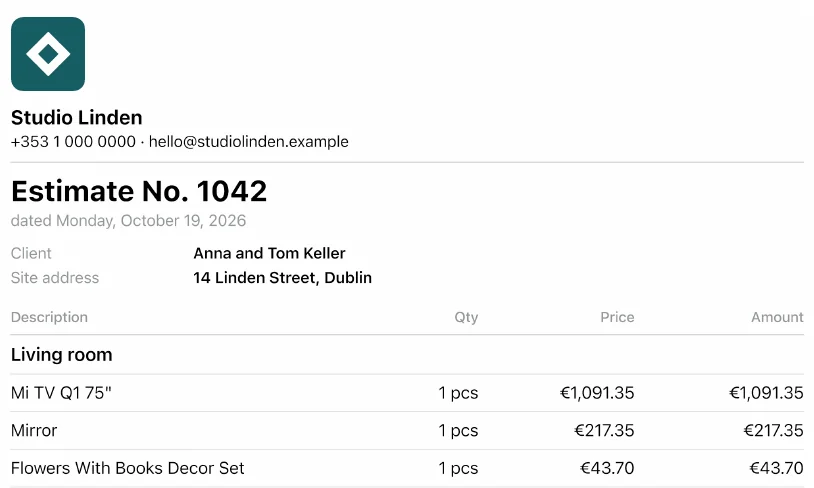
Estimate PDF with the number, logo, client, site address, items and total
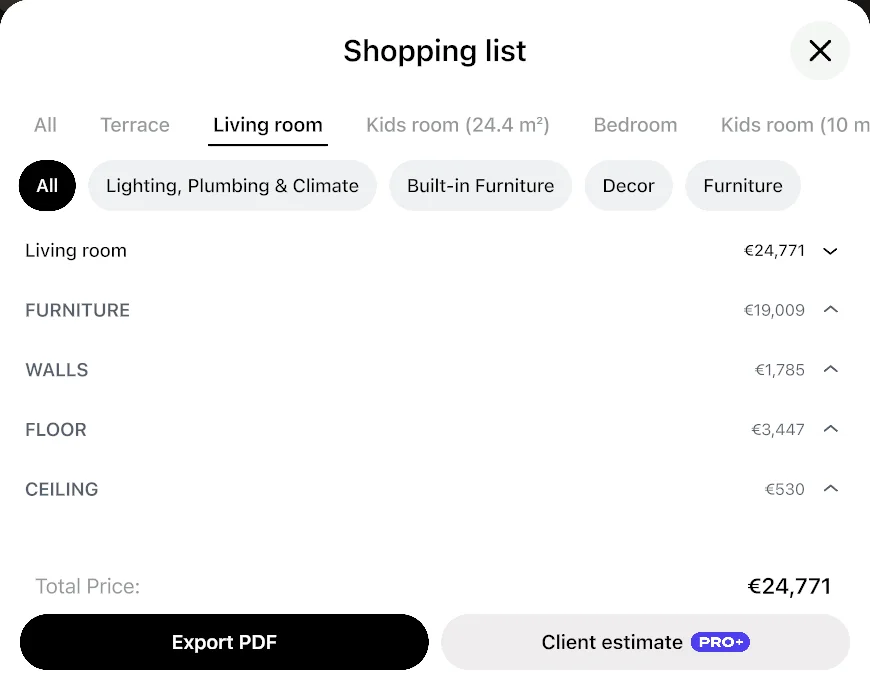
The shopping list of a room: costs of furniture, walls, floor and ceiling and the total

Can the client see the new kitchen before demolition?

Yes. Scan the kitchen, place cabinets, worktops and appliances at their real size, and show the finished room as a 4K render and a 360° view.

  • Cabinets, worktops, appliances and fixtures from real brands, at real sizes.
  • Check clearances: the dishwasher door, the walkway past the island.
  • 4K render and 360° of the finished kitchen or bathroom.
  • Send a link; the client and their partner open it in any browser.
  • The same works for bathrooms: tiles, vanity, shower and tub at real size.
  • 4K and 360°: PRO+
Walnut kitchen cabinets with a marble island and seating
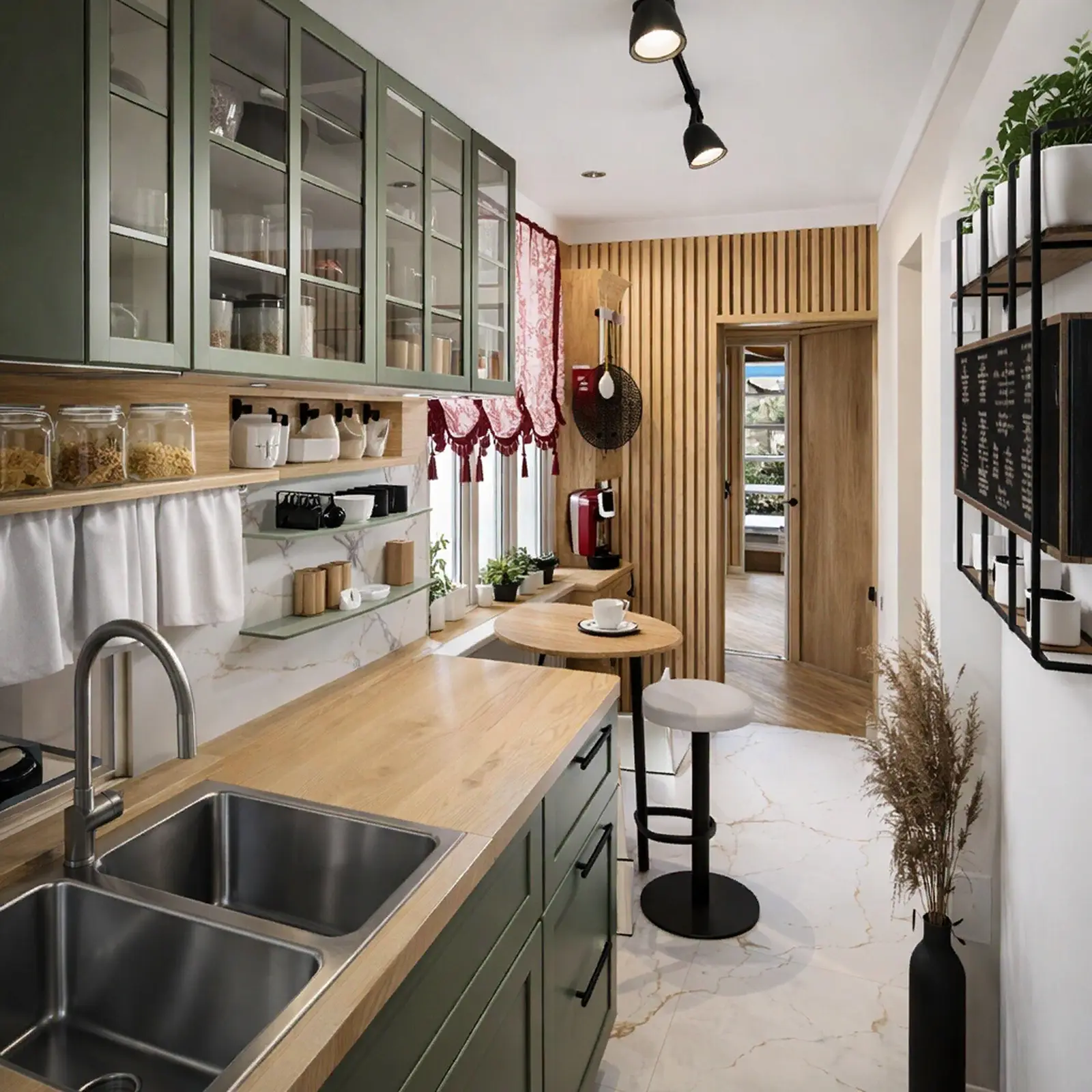
A narrow galley kitchen with green glass-front cabinets
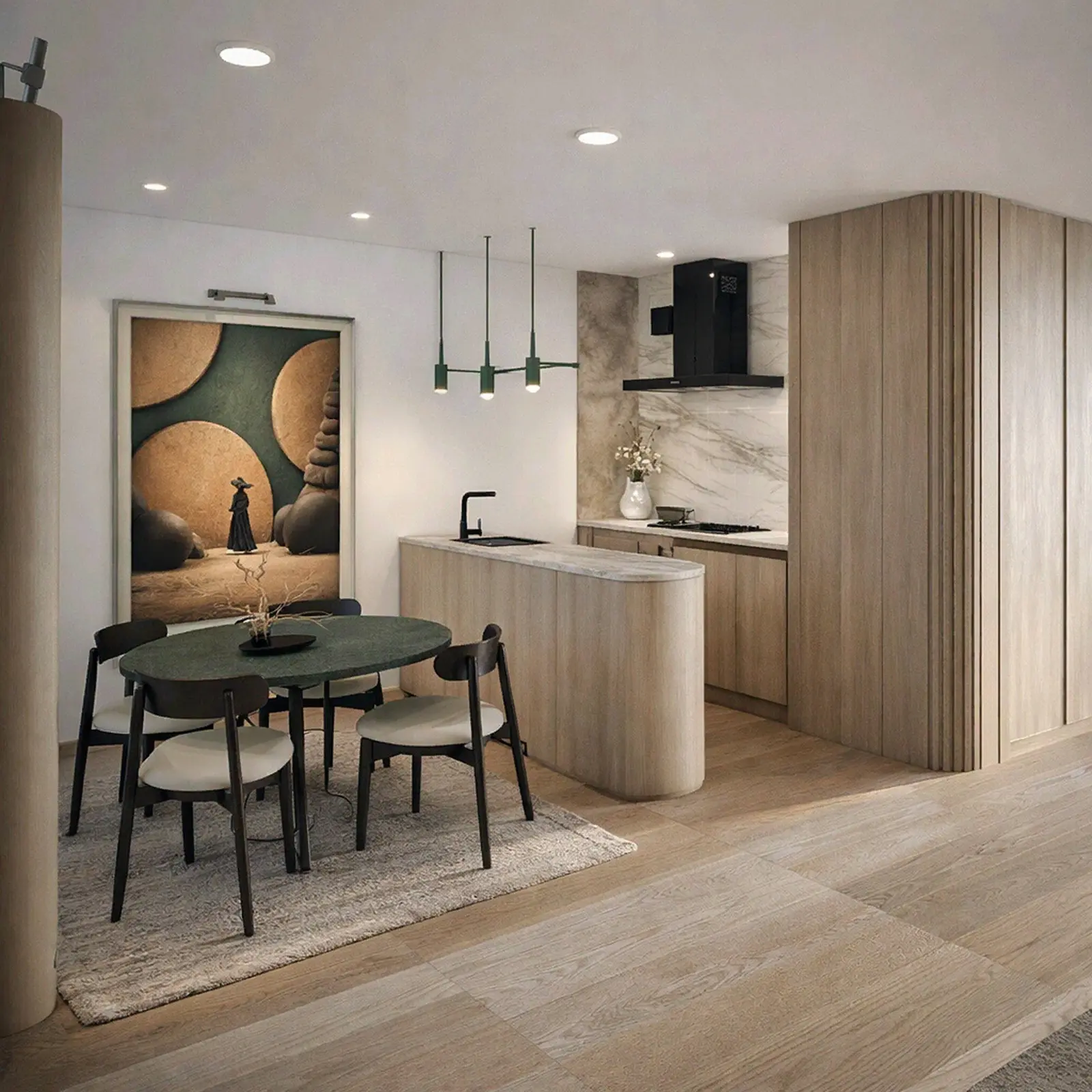
A compact oak kitchen with a curved peninsula
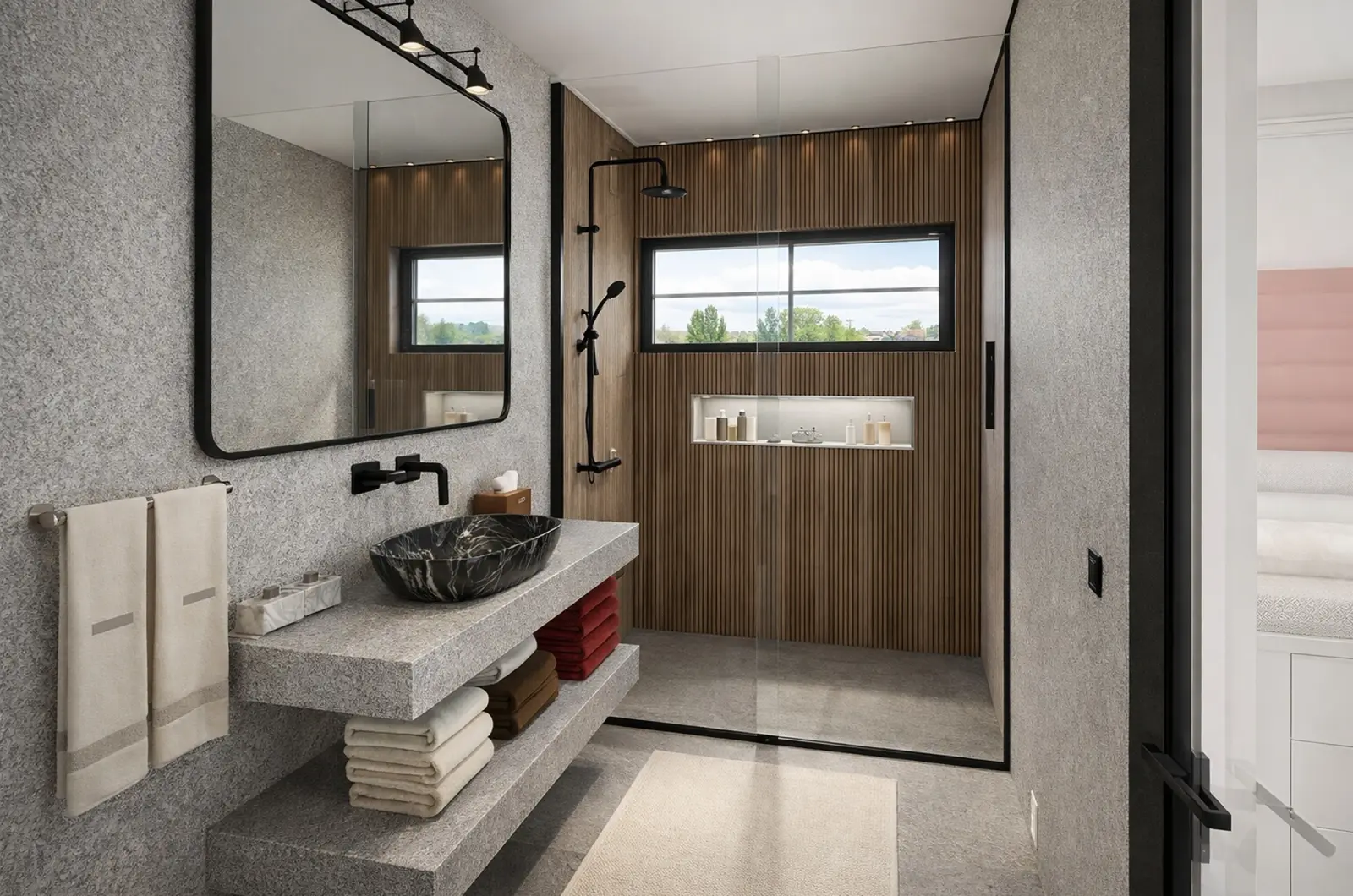
A bathroom with a walk-in shower and a floating stone vanity

How do I avoid "that's not what we agreed"?

Agree the scope on paper and in 3D before work starts, and record every site issue as it comes up.

  • The client approves the numbered estimate — the scope and the price are fixed in one document.
  • The client approves the render: what they saw is what you build.
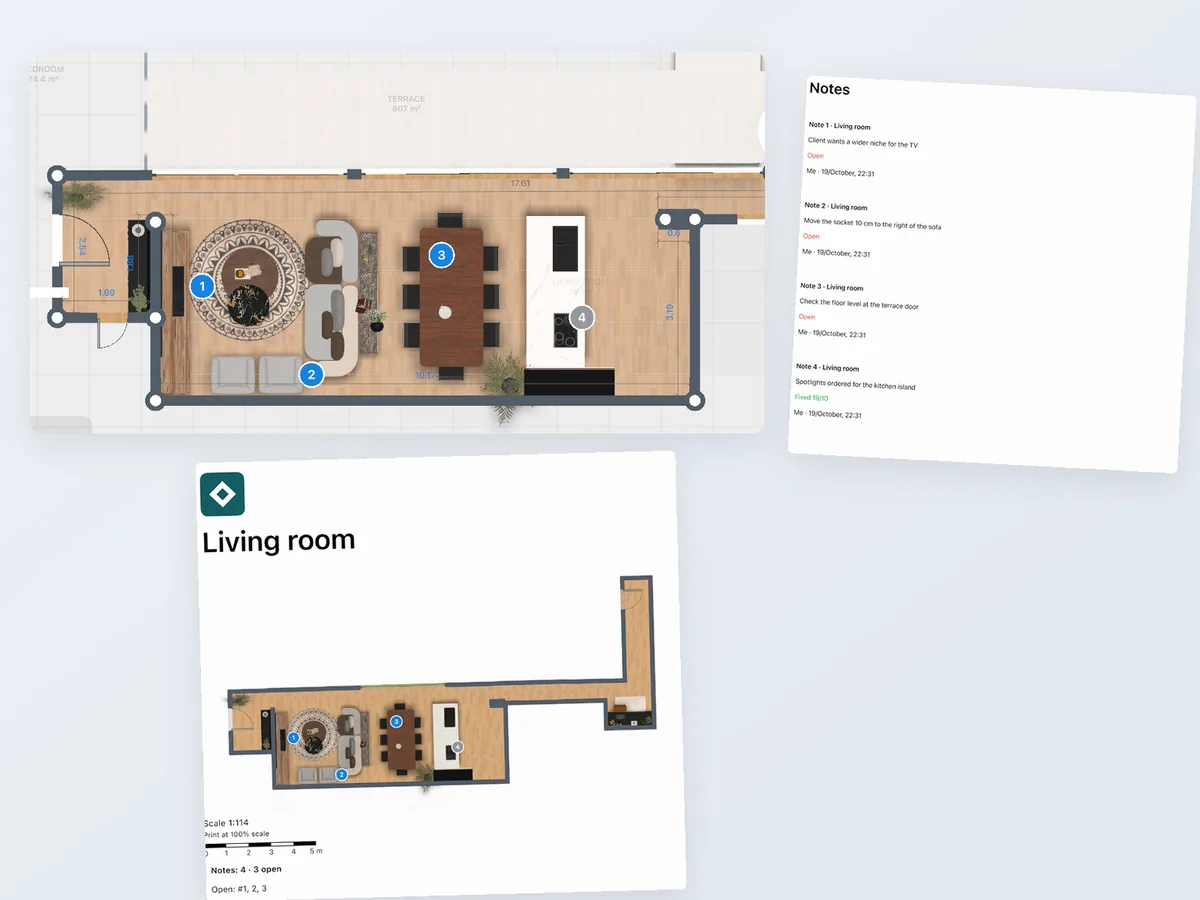
  • Numbered notes on the plan, with photos of the site: a crack, a pipe, a wall that is not straight.
  • Mark each note "Fixed" when it is done; the notes print on their own page in the PDF.
  • Wall elevations show where every socket, tile line and cabinet goes.
  • PRO+
Floor plan with numbered notes, one marked Fixed, next to the Notes page of the PDF

Can I send the drawing straight to the architect or the trades?

Yes. Export the measured plan as DWG/DXF or a vector PDF; it opens in AutoCAD and ArchiCAD. Nobody re-enters your measurements.

  • DWG/DXF export.
  • Vector PDF with dimensions and wall elevations.
  • Furniture and cabinets as blocks in the DWG.
  • Commercial use license and no watermark.
  • PRO+
  • Furniture blocks: PRO++
The plan as a CAD drawing, with furniture blocks

Which job are you quoting?

Room statistics: dimensions and areas

Quote the job on the first visit

Flooring, painting, drywall, tiling

  1. Laser or LiDAR into the plan
  2. Areas and perimeters per room
  3. Work items at your own rates
  4. Numbered estimate PDF with logo

Before: notes on paper, quote later

After: quote before you leave the site
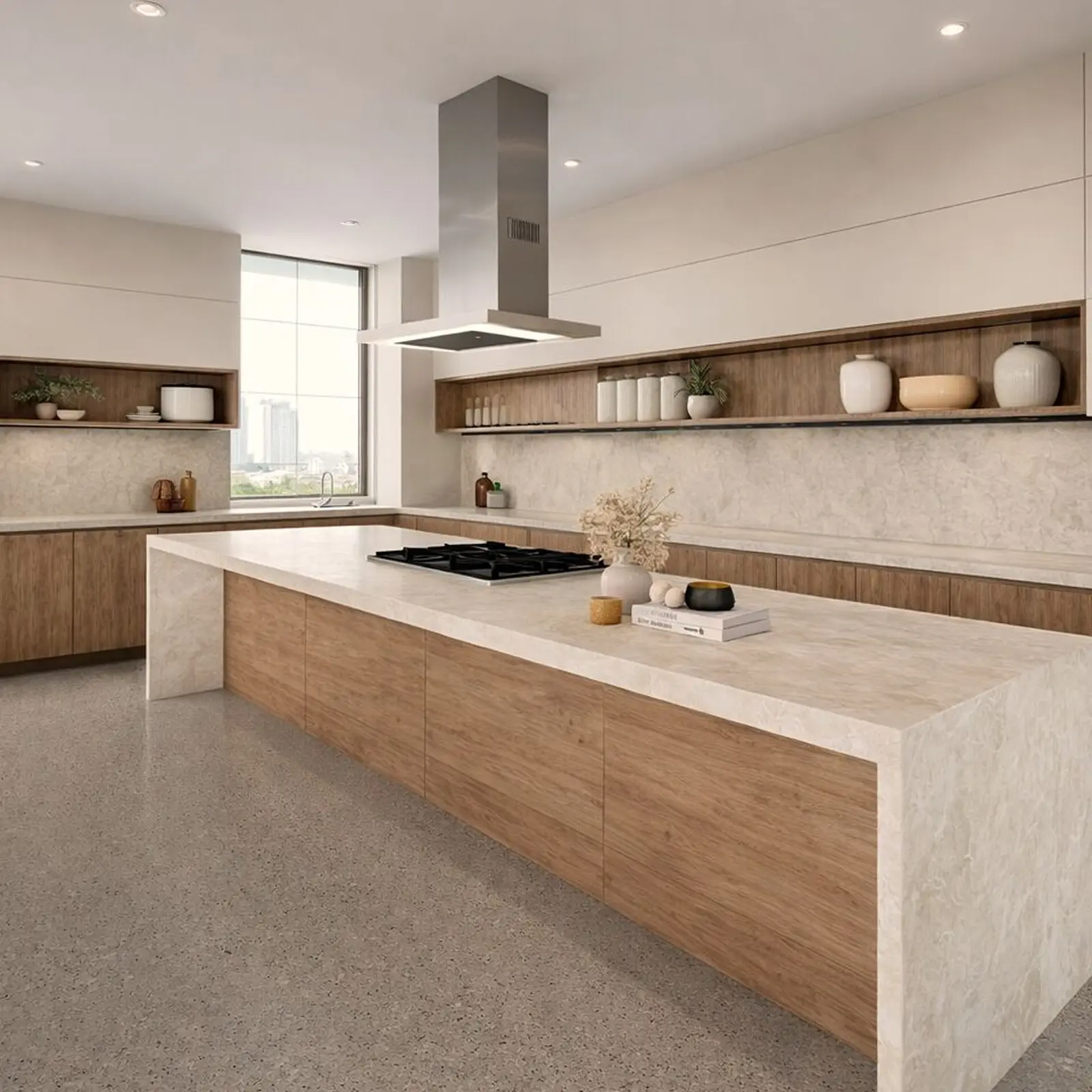
A wood and stone kitchen with a large island cooktop

Show the finished kitchen before demolition

Kitchen and bath remodelers

  1. Scan the room
  2. Place cabinets and fixtures at real size
  3. 4K render and 360°
  4. Send a link to the client

Before: "I can't imagine it"

After: the client signs off on what they saw

Turn the client's old plan into a quote

Renovation and fit-out firms

  1. Upload a plan image
  2. AI turns it into walls and rooms
  3. Check key sizes with the laser
  4. Estimate PDF

Before: redraw the plan by hand

After: a plan to scale without redrawing

The plan as a CAD drawing, with furniture blocks

Hand a drawing to the architect or trades

Extensions, lofts, basements

  1. Measured plan
  2. Export DWG/DXF or vector PDF
  3. Open in AutoCAD, ArchiCAD

Before: someone re-enters your measurements

After: one file from site to office

Plans for contractors

Start free and quote your first job. PRO has the laser meter and scan editing; move to PRO+ for estimate PDFs and DWG. Choose PRO++ when leads should go to your CRM.

Free

$0 /month

  • Draw the plan by hand; areas and perimeters per room
  • 3D and a shared link
  • Your first estimate PDF

PRO+

$17.99 /month

Save 63%

$219.99 billed annually, plus sales tax where applicable

  • Laser meter, editing a LiDAR scan and AI from an old plan (also on PRO)
  • Estimate PDFs with your logo, from the second one
  • DWG/DXF export
  • 4K renders, 360° photos, no watermark
  • Commercial use license

PRO++

$41.99 /month

Save 65%

$499.99 billed annually, plus sales tax where applicable

  • Everything in PRO+
  • Furniture and cabinet blocks in the DWG
  • Sends each project to HubSpot, Pipedrive, Salesforce or Google Sheets through Zapier or Make

Renews yearly · cancel anytime

Sign in to the app with this email — your plan is there.

On PRO already? Upgrade in the app — same account. Already on this plan? Open the app

Not in the EU, EEA, Switzerland or the US? Buy in the App Store or Google Play — same plans.

Questions contractors ask

$17.99 a month, billed yearly ($219.99), or $49.99 month to month. It adds estimate PDFs, DWG and 4K renders to the laser meter and scan editing that PRO already has.

Yes. Your first estimate PDF is free; from the second one, PRO+.

Yes — selected Bosch and Leica models, on iPhone, iPad and Android.

iPhone, iPad, Android phones and tablets, Mac and Windows. Measure on site with a phone, finish the quote on a computer — on PRO and above, the project syncs between your devices. The LiDAR scan needs an iPhone Pro or iPad Pro.

No. The PDF opens on any device, and the shared link shows a render or a 360° view in any browser.

Yes. Cancel any time; the plan stays active until the end of the paid period. Bought on our website — contact support and we'll help with a refund. Bought in the App Store or Google Play — the store handles refunds under its own policy.

You do. Your projects stay in your account, and you can export them as PDF or DWG/DXF at any time.

No. Upgrade to PRO+ in the app with the same account. Already on PRO+? Open the app — you have everything here.

Your next site visit can end with a quote

Measure the rooms, get every area on the plan, and leave the client a priced estimate and a 3D view of the finished job. Start free and send your first estimate PDF at no cost.

Home Planner is not affiliated with, endorsed or sponsored by Apple, Google, Microsoft, Autodesk, Graphisoft, HubSpot, Pipedrive, Salesforce, Zapier, Make, Bosch or Leica Geosystems; their names and marks belong to their owners. Android is a trademark of Google LLC. iPhone, iPad and Mac are trademarks of Apple Inc., registered in the U.S. and other countries. Other trademarks are the property of their respective owners.